
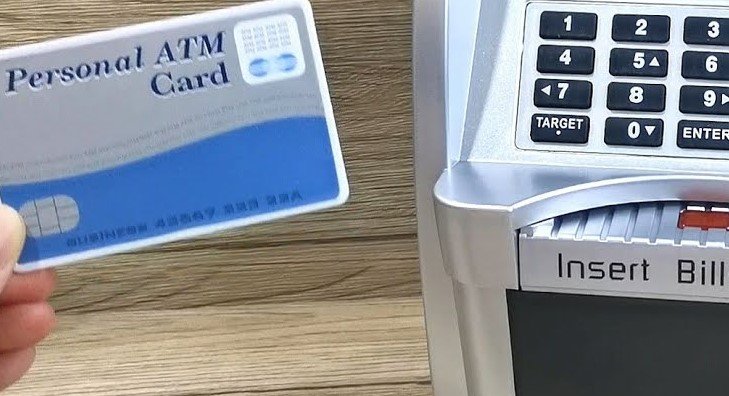
Need to reset your ATM bank toy? Whether you forgot your PIN or the electronics are glitching, this guide covers the proven methods to perform a hard or soft reset. Follow these steps to restore your toy and regain access to your savings in minutes.
We have all been there. Your favorite ATM bank toy, the one you use to keep your allowance safe, suddenly decides to stop cooperating. Maybe you forgot your secret code, or perhaps the lights are flashing in a way that just doesn’t look right. In 2026, these toys are smarter than ever, but even the best tech can hit a snag. Learning how to reset ATM bank toy devices is a handy skill that saves you from frustration and keeps your savings accessible.
When an ATM bank toy acts up, your first reaction might be panic. You might wonder if your money is stuck inside forever. Take a deep breath! Most of these devices are designed with a built-in safety net. Whether you are dealing with a forgotten password or a frozen electronic screen, getting back into your bank is usually a quick process. Let’s walk through the steps to get your ATM bank toy working like new again.
Key Takeaways
- The Battery Pull Trick: Most ATM bank toy models reset when you remove the power source for sixty seconds.
- Locating the Reset Button: Many modern electronic piggy banks feature a hidden micro-switch inside the battery compartment.
- Default PIN Codes: If you are locked out, 0000 or 1234 are the most common factory-default codes for these toys.
- Troubleshooting Glitches: Stuck coin slots or jammed motors are often solved by a simple power cycle rather than a full system reset.
- Safety First: Always supervise children when handling the internal components or using small tools to press reset buttons.
- Preventative Maintenance: Replacing batteries once every six months helps prevent memory loss and electronic errors in your ATM bank toy.
Understanding the Basics of Your ATM Bank Toy
Before you start poking around, it helps to know how these devices operate. Most ATM bank toys use a simple microprocessor to manage the keypad, the motor for the coin slot, and the sound effects. Because they run on low-voltage batteries, they have a “volatile memory.” This means that when the power is cut, the device often forgets its current state, including its errors.
The Power of the Power Cycle
The most effective way to troubleshoot your toy is the classic power cycle. Think of it as a nap for your device. If your ATM bank toy is frozen, the internal computer is likely stuck in a loop. By removing the batteries, you force the memory to clear out. It is often the simplest solution to a complex-looking problem.
Checking for Physical Obstructions
Sometimes, the “reset” you think you need is actually a physical fix. If the electronic motor is humming but nothing is moving, a coin might be jammed in the gear. Even if you reset the software, a jammed motor will keep the toy from working. Always inspect the coin slot before assuming the electronics have failed completely.
The Standard Reset Procedure: The Battery Method
If you need to know how to reset ATM bank toy systems, the battery method is your best friend. This works for almost ninety percent of electronic piggy banks currently on the market. It is safe, free, and requires no special tools.
Visual guide about How to Reset Atm Bank Toy
Image source: highpeakco.com
Step-by-Step Battery Reset
First, locate the battery compartment. You will likely need a small Phillips-head screwdriver to open the cover. Once you have access to the batteries, take them all out. This is the crucial part: do not just put them back in immediately. Wait for at least one full minute. During this time, press the keypad buttons a few times to drain any remaining energy stored in the capacitors.
After the minute has passed, insert fresh, high-quality batteries. Most manufacturers recommend using alkaline batteries for better performance. Once the new batteries are in, the toy should restart in its factory mode. Usually, this means the PIN will revert to the default setting, which is almost always 0000.
Finding the Hidden Reset Button
If the battery pull does not work, your ATM bank toy might have a dedicated reset button. Manufacturers often hide these buttons to prevent accidental resets. You might find a tiny hole near the battery compartment or on the bottom of the device. This is a common feature in many 2026 interactive toy models.
How to Use the Micro-Switch
To use the reset button, you will need a paperclip or a thin toothpick. Gently insert the end of the tool into the reset hole. You should feel a slight click. Hold it down for five seconds while the device is turned on. You will likely hear a beep or see the lights flash, signaling that the system has successfully returned to factory settings. If you do not feel a click, do not push too hard, as you could damage the internal switch.
Handling Forgotten PIN Codes
Forgetting your secret code is the most common reason people search for how to reset ATM bank toy devices. When you set a custom code and the toy stops accepting it, it feels like a total lockout. Fortunately, the reset methods mentioned above generally wipe custom PINs. Once the reset is complete, try the factory default codes immediately.
Common Default PINs to Try
Before you go through a full reset, try these common defaults. They work on a surprising number of devices:
- 0000
- 1234
- 1111
- 00000 (if it uses a five-digit code)
If these do not work, proceed with the battery pull or the hidden button reset. Once you reset, you can create a new code that you will remember more easily!
When to Replace the Batteries
One of the biggest culprits behind a malfunctioning ATM bank toy is low battery power. When the voltage drops, the keypad might stop registering inputs, or the light sensor might fail to detect coins. If you notice your toy acting strange, like sound effects slowing down or lights dimming, change the batteries immediately.
Signs of Low Battery Life
Keep an eye out for these warning signs:
- The door takes longer to open than usual.
- The LCD screen (if present) looks faint or flickers.
- The toy makes “stuttering” or distorted sounds.
- The keypad requires you to press buttons very hard to get a response.
Replacing batteries before they are completely dead is the best way to prevent the need for a hard reset in the first place.
Maintenance Tips for Long-Term Use
Learning how to reset ATM bank toy gadgets is great, but avoiding those situations is even better. With a little care, your ATM bank toy can last for years. Keep the device in a cool, dry place away from direct sunlight, which can make the plastic brittle over time. Also, teach children not to force coins into the slot if it feels stuck; gently shaking the device is usually enough to dislodge a misaligned coin.
Finally, keep the user manual if you can, or take a picture of the instruction sheet when you first buy the toy. Many brands have specific reset codes or procedures that are unique to their model. If you ever lose your instructions, you can usually find them on the manufacturer’s website by searching the model number located on the bottom of the unit.
In conclusion, mastering how to reset ATM bank toy devices is simple once you know the tricks of the trade. Whether you use the battery method, the hidden button, or just replace the old batteries, you have the power to get your savings bank back in working order. Keep your PIN safe, change your batteries regularly, and enjoy the fun of saving money in your very own personal ATM!
Frequently Asked Questions
What do I do if the reset button does not work?
If the reset button fails, ensure the batteries are fresh and properly seated. If the device remains unresponsive, check for any debris inside the coin mechanism that might be causing a physical jam.
Will a reset erase all the money inside?
No, a reset only affects the electronic settings and the memory of the PIN code. The physical contents of the bank, including your coins and bills, remain safely inside.
Can I open the bank if I forgot the PIN and the reset fails?
If a hard reset fails to open the door, there may be a mechanical failure. You may need to contact the manufacturer’s support team for instructions on manual override for your specific model.
How often should I change the batteries?
It is recommended to change the batteries every six months to ensure consistent performance. Using high-quality alkaline batteries helps prevent internal corrosion and electronic errors.
What is the most common default PIN for these toys?
The most common factory-default PIN for almost all ATM bank toys is 0000. Many brands also use 1234, so try both before attempting a hardware reset.
Is it safe to use a needle to press the reset button?
It is safer to use a blunt object like a toothpick or a bent paperclip. A needle is often too sharp and could accidentally puncture the membrane of the reset switch.